

LM2596 Arduino Project: A Complete Guide to Reliable Buck Converter Power Design
Power problems silently destroy Arduino projects.
Noise creeps in. Heat builds up. Boards reset for no clear reason.
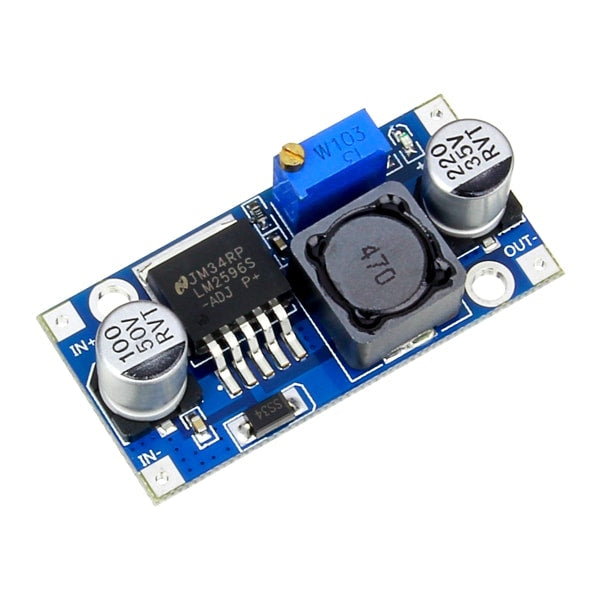
At the center of many reliable fixes sits one humble component: the LM2596 buck converter.
This guide goes deep. Practical. Field-tested.
Written for makers who want stable power, clean signals, and long-term reliability—not random success.
Understanding the LM2596 in Arduino Projects
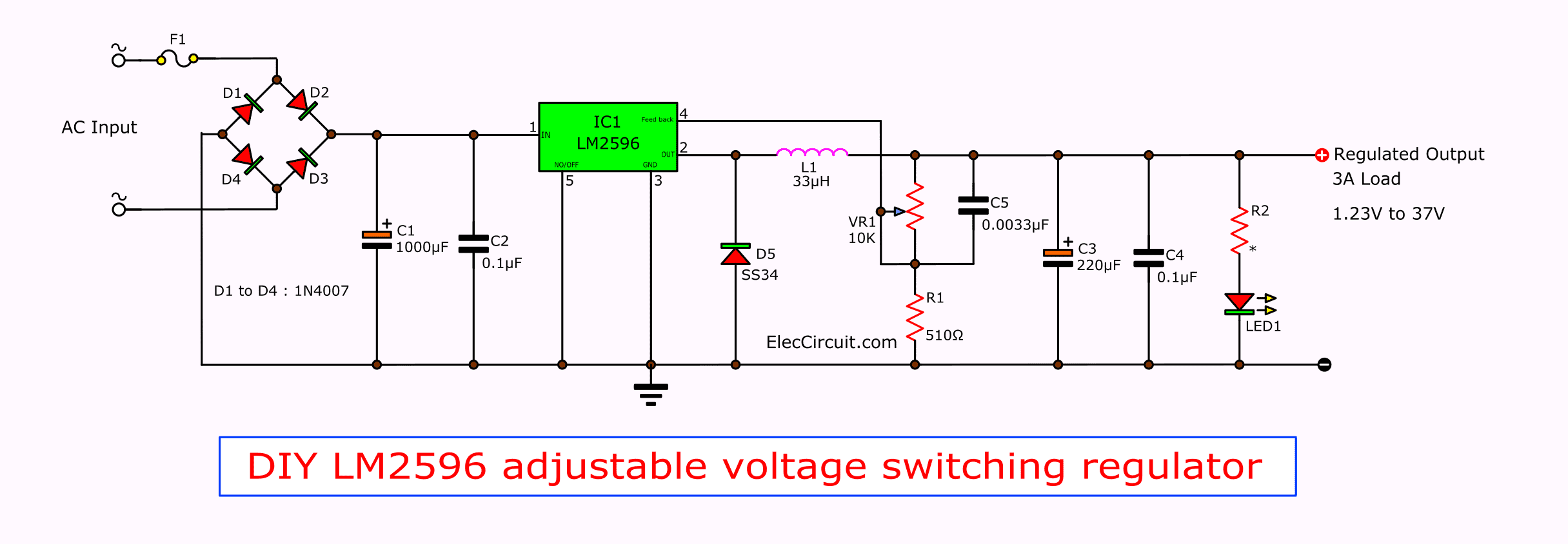

The LM2596 is a step-down (buck) switching regulator.
It converts higher DC voltages into lower, usable rails with far better efficiency than linear regulators.
Unlike resistive or linear solutions that burn excess energy as heat, the LM2596 rapidly switches current through an inductor. Energy is stored, released, and smoothed into a stable output. Efficient. Powerful. Compact.
This efficiency explains its popularity with Arduino projects.
Why makers choose LM2596
- Accepts wide input voltages (up to ~40V)
- Delivers usable current for boards + peripherals
- Dramatically reduces heat
- Cheap. Available everywhere.
In short: it turns messy power sources into Arduino-friendly electricity.
Key LM2596 Specifications That Matter
Not all specs matter equally.
These ones decide success or failure.
Electrical limits that actually matter
| Parameter | Typical Value | What It Means for Arduino |
|---|---|---|
| Input Voltage | 4V–40V | Handles 12V, 24V, batteries |
| Output Voltage | 1.23V–37V | 5V, 3.3V, or custom rails |
| Max Current | 3A (theoretical) | ~1.5–2A practical |
| Efficiency | 75–90% | Less heat, longer battery life |
| Switching Freq. | ~150kHz | Affects noise & filtering |
Reality check:
“3A rated” does not mean 3A in real life. Heat and layout matter more than datasheets admit.
Powering Arduino Safely with LM2596


This is where projects live—or die.
VIN pin vs 5V pin
- VIN pin: Feeds Arduino’s onboard linear regulator
→ Safer, but wastes power. - 5V pin: Bypasses regulation entirely
→ Efficient, but dangerous if misadjusted.
Rule:
If using the 5V pin, measure twice before connecting once.
Common power scenarios
- 12V wall adapter → LM2596 → Arduino + sensors
- 24V industrial supply → LM2596 → logic rail
- Battery pack → LM2596 → stable MCU power
Fatal mistakes
- Powering motors and logic from the same rail
- Adjusting voltage after connecting Arduino
- Forgetting common ground
- No bulk capacitance
Power errors don’t fail loudly.
They fail randomly.
LM2596 Module vs Bare IC
You can buy convenience—or control.
| Feature | LM2596 Module | Bare LM2596 IC |
|---|---|---|
| Setup Time | Minutes | Hours |
| Cost | Slightly higher | Lower in volume |
| Performance | Average | Optimizable |
| PCB Size | Large | Compact |
| Reliability | Varies by vendor | Designer-controlled |
When modules shine
- Prototyping
- DIY projects
- Learning power electronics
When bare IC wins
- Custom PCBs
- High-current designs
- Production systems
- Thermal optimization
Modules trade elegance for speed.
Custom designs trade time for perfection.
Electrical Noise, Ripple, and Signal Stability
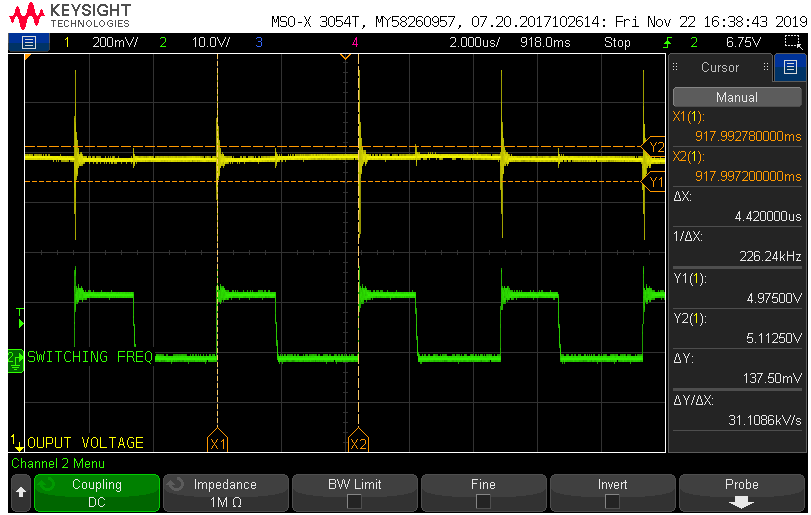


Switching regulators create noise.
Ignoring it leads to bad data.
What noise looks like
- Output ripple (10–100mV typical)
- High-frequency spikes
- Ground bounce
Why Arduino cares
- ADC readings fluctuate
- IMUs drift
- GPS loses lock
- Sensors lie
Fixes that work
- Add low-ESR output capacitors
- Use LC filters on sensitive rails
- Separate motor power from logic
- Short ground paths
Clean power equals honest data.
Grounding and Power Distribution Best Practices

Bad grounding ruins good designs.
Golden rules
- All grounds must connect (common reference)
- Use star grounding for mixed loads
- Avoid daisy-chaining high-current paths
- Keep motor returns away from MCU ground
Grounding strategy comparison
| Method | Pros | Cons |
|---|---|---|
| Star Ground | Low noise | More wiring |
| Daisy Chain | Simple | Noise injection |
| Split Grounds | Clean signals | Must reconnect carefully |
Ground is not “just ground.”
It’s the reference point for everything.
Heat Management and Real-World Current Handling
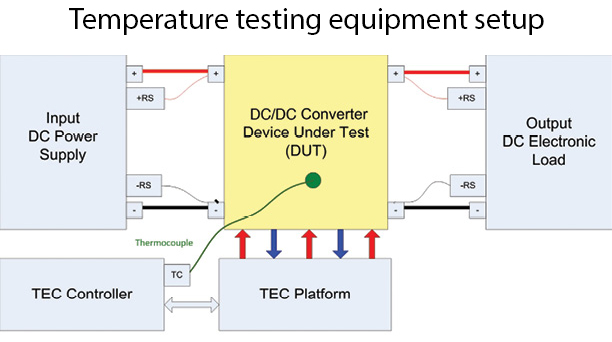

Heat is the silent limiter.
Why 3A rarely happens
- Tiny inductors saturate
- Diodes overheat
- PCBs lack copper
- No airflow
Thermal survival tips
- Add heatsinks
- Increase copper area
- Reduce input-output voltage difference
- Measure current under load
Proverb:
“Heat is the tax you pay for inefficiency.” — Power electronics engineers
Protection, Batteries, and Safety Reality
LM2596 protects itself—but not your system.
Built-in protections
- Thermal shutdown
- Current limiting
What it does NOT protect against
- Reverse polarity
- Surge spikes
- Battery undervoltage
- Charging errors
Battery use summary
| Battery Type | Suitable? | Notes |
|---|---|---|
| Li-ion / 18650 | Yes | Needs BMS |
| LiPo | Yes | Not a charger |
| Lead-acid | Yes | Watch voltage sag |
Critical warning:
LM2596 is not a battery charger. Ever.
Pair it with:
- BMS modules
- Dedicated charging ICs
- Fuses and TVS diodes
Final Thoughts: Designing Power Like a Professional
Power design is invisible when done right.
But devastating when done wrong.
The LM2596 is not magic.
It is a tool—and tools reward understanding.
Design with margin.
Measure under load.
Respect heat, noise, and grounding.
Do that, and your Arduino project won’t just work.
It will last.
